



Midasluck App
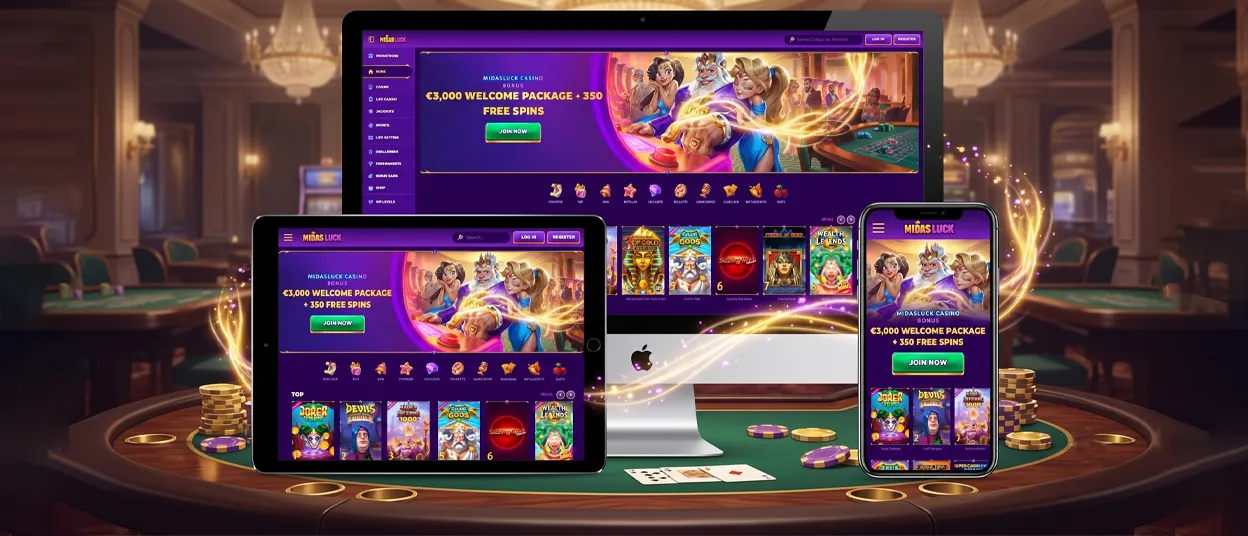
The Midasluck app is our platform’s progressive software that opens straight from a mobile browser without a store download. Android, iOS, and desktop players reach the same account and the same game library through one PWA, and the setup takes a single tap to install. This page covers every Midasluck app access route: browser play, home screen installation, and desktop use.



Midasluck Mobile Casino
Our Midasluck Casino app carries the full Midas Luck catalog on a smaller screen. Slots and live dealer tables are alongside jackpots and tournaments in the same lobby. Screen layout adapts to the device automatically, and menus resize for a smaller display. The lobby keeps its core categories on mobile:
- Top
- New
- Popular
- Exclusive
Midas-luck players keep the same balance and history whether they open the site on a phone or a laptop, and the gaming experience carries over between devices without gaps.
Games load through the browser engine, so there is no separate installer to manage. Live chat is available inside the mobile casino interface, and the support team answers account questions through the same channel used on desktop.
Mobile Application for Android
Android users open Midasluck Casino through Chrome and add the app to the home screen through the browser menu. The installed shortcut behaves like a native icon: it launches in full screen, hides the address bar, and drops players straight into the lobby. We run this as browser-based technology, not a listing from Google Play, and it updates automatically whenever we change the site.
The Android shortcut keeps online slots and live tables identical to the browser version. No APK file sits on the device, and no manual update process interrupts the gaming experience.
Midas Luck APK
We do not distribute a downloadable Midasluck APK file. The PWA replaces that model: one install prompt from the browser delivers what an APK would, without exposing the device to files from outside an app store. The verification process is the same, and deposits and withdrawals work exactly as they do through the Midasluck Casino website.
Mobile Application for iOS
iOS players add the Midasluck app to the home screen through Safari’s Share menu, selecting Add to Home Screen. The resulting icon opens in its own window, separate from open Safari tabs, and matches the Android setup in available games and account tools. Our slot games and live casino tables load the same way on iOS as on Android, and account settings carry over too.

Midas Luck Casino Application for Windows/macOS
Chrome and Edge on Windows or macOS also support installing our Midasluck PWA as a desktop application. The icon is on the desktop or taskbar and opens in its own window, apart from browser tabs. Game history and active bonuses stay synced with the mobile session, and the balance updates the same way on both.
Desktop players get a larger screen for table games and live dealer streams. The account and verification process remain identical to mobile, and the same live chat channel connects players with our support team on either platform.
| Parameter | Detail |
|---|---|
| Distribution | Progressive Web App (PWA) |
| Supported platforms | Android, iOS, Windows, macOS |
| Install method | Add to Home Screen/browser install prompt |
| Local storage | No separate app files stored on device |
| Updates | Automatic through the browser |
| Account sync | Shared balance and history across devices |
FAQ
Does the Midasluck app need more storage than a regular app?
No. The PWA runs through the browser cache instead of a separate installer, so it takes up far less space than a native download.
Can I switch between phone and desktop without losing progress?
Yes. Midasluck keeps one account across every device, and the balance and active session move with the player automatically.
How can I update the Midasluck Casino app?
Midasluck rolls out changes to the live site, and the app picks them up on the next visit — no download required.


